Executions
The Executions page allows you to view the complete history of all KAI-Flow workflow executions.
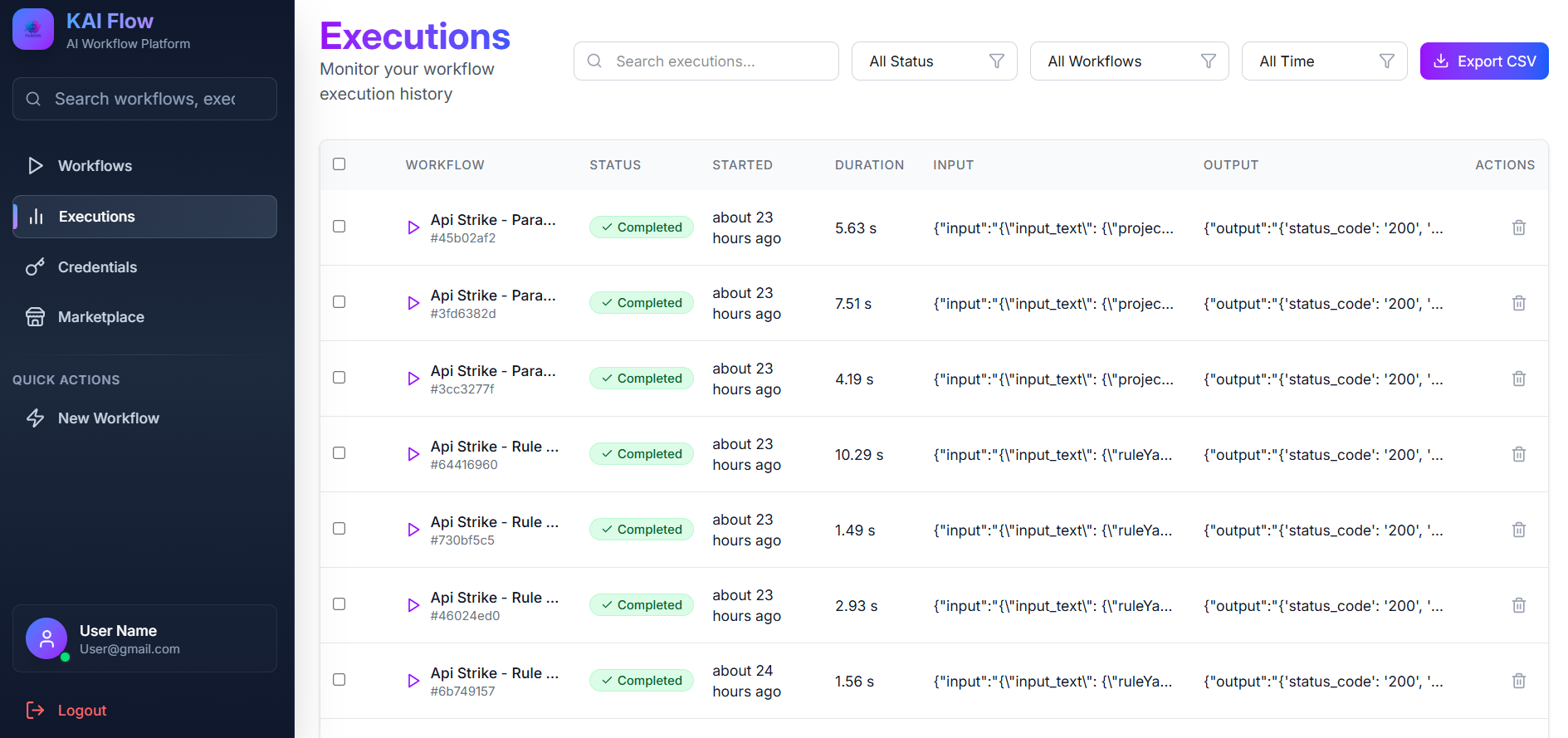
Filter: Used to narrow down execution results. You can filter by execution status, workflow, date range, or input text. A Clear Filters button is available to reset all filters.
Use the selection checkbox to select all executions and delete multiple executions at once.
Executions List: It displays executions in a table with the following details:
- Execution ID
- Workflow name (clickable)
- Execution status
- Input text preview
- Output text preview (Click to view full output)
- Execution duration
- Start time
Each execution includes a Delete option. The list supports pagination for easy navigation through execution history.
At the top of the page, there is an Export CSV button which allows you to download execution data for external reporting and analysis.
Execution statuses are indicated with color-coded badges:
- Pending (yellow)
- Running (blue, animated)
- Completed (green)
- Failed (red)
Execution Details: Click an execution to view detailed information, including the full input and output text, error messages (if any), and a step-by-step execution trace.