Credentials
The Credentials page allows you to securely store and manage API keys and service credentials for KAI-Flow.
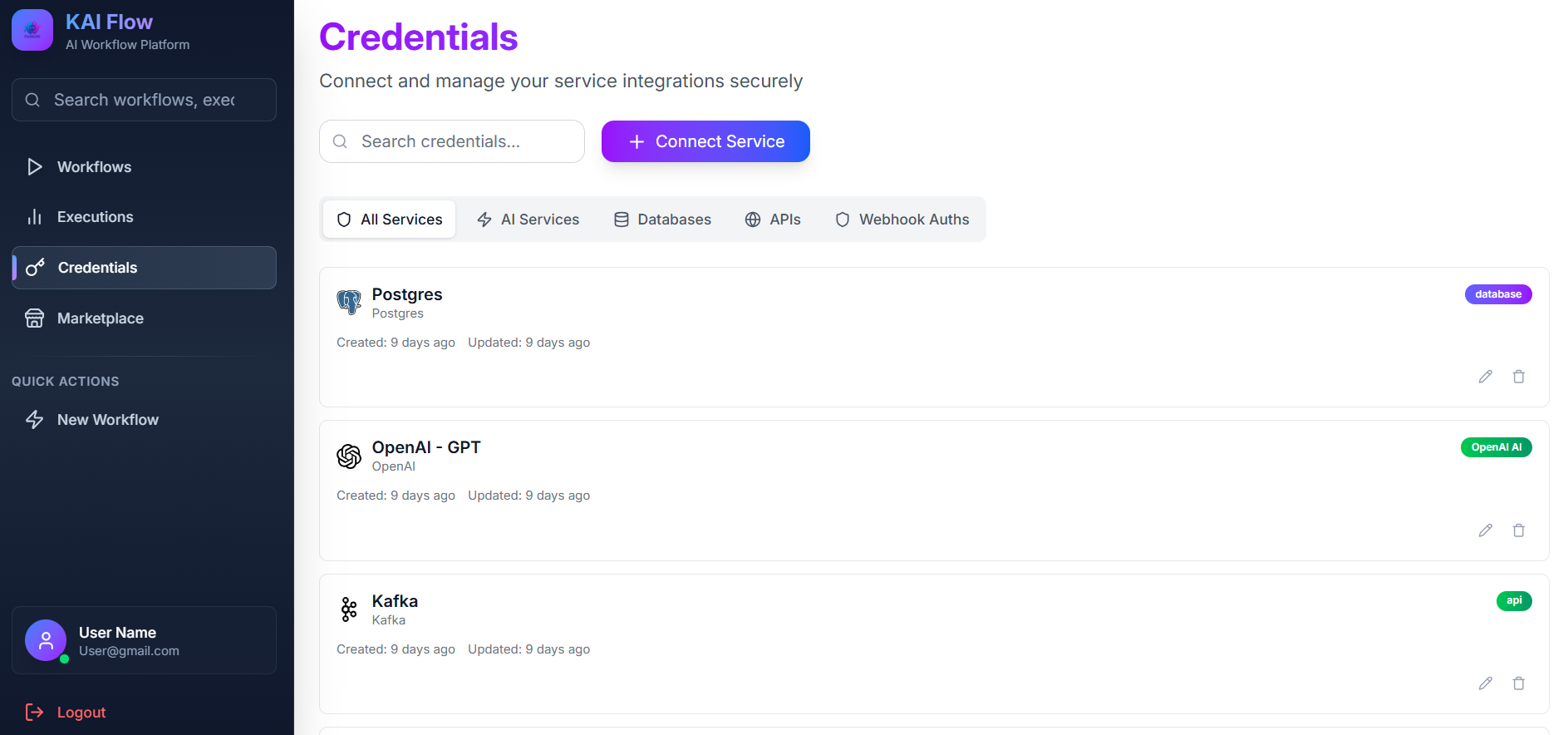
Service Category Tabs: Allows you to filter credentials by service type. Available categories include AI, Search, Database, and Cloud.
Search: Used to filter credentials by name.
Add Credential: Opens the service selection modal to add a new credential.
Credentials Grid: Displays all saved credentials. Each credential card shows the service icon, credential name, service type, creation date, and management actions. You can use the Edit button to update a credential or the Delete button to remove it.
Adding New Credentials
To add a new credential:
- Click Add Credential.
- Select a service type from the list.
- Enter the credential details, including a name, API key, and any service-specific fields.
- Click Save.
Supported Services
The following services are supported:
- OpenAI (API Key)
- Tavily Search (API Key)
- Cohere (API Key)
- PostgreSQL (Connection information)
- Kafka SASL (Connection information)
- Basic Auth (For securing webhook endpoints)
- Header Auth (For securing webhook endpoints)
Security Note: All credentials are encrypted at rest using a master key (
CREDENTIAL_MASTER_KEY). They are decrypted only when needed during workflow execution.